Xhorse Key Tool Plus Adds Toyota Tacoma 2020 XM38 Key

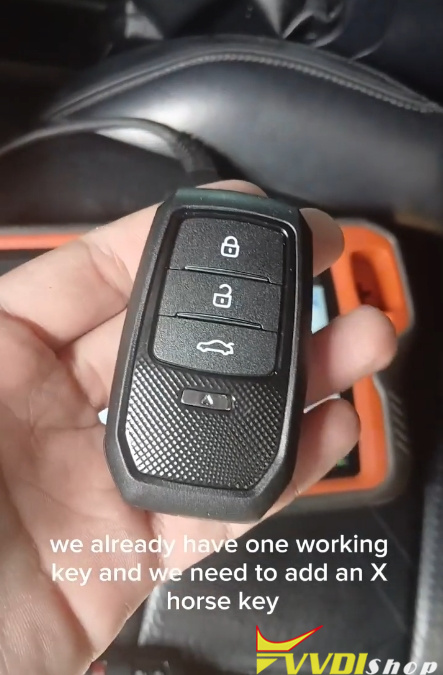
 This guide walks through the steps of programming an Xhorse smart key to a 2020 Toyota Tacoma using the Xhorse Key Tool Plus and the XM38 Smart Key, starting with one already working key.

Tools You’ll Need

Xhorse VVDI Key Tool Plus (with internet connection)

Xhorse XM38 Smart Key (or compatible Xhorse smart key)

One existing working key for the Tacoma

Xhorse Key Tool Plus Adds Toyota Tacoma 2020 XM38 Key 1

Step-by-Step Programming Process

1. Identify the Key Type
Begin by determining the transponder type of the original key.

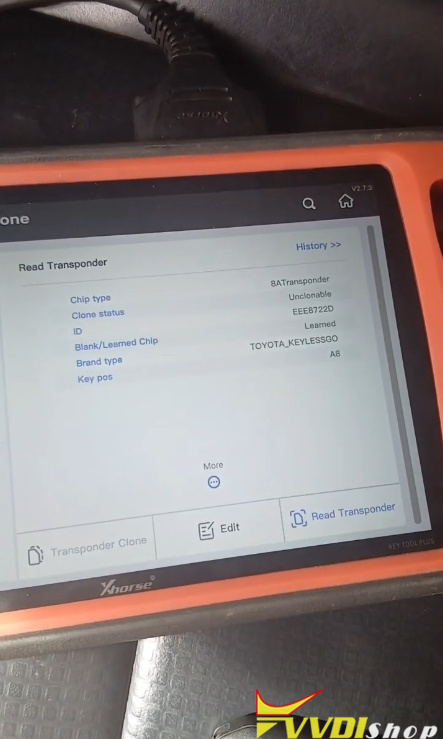
On the Key Tool Plus, navigate to Transponder Clone.

Insert the original key and select Read.

Note the type displayed—in this case, Type A8. This is essential for key generation.

Xhorse Key Tool Plus Adds Toyota Tacoma 2020 XM38 Key 2

2. Generate the New Smart Key

Return to the main menu and go to Remote Program > Asia > Toyota > Tacoma.

Confirm the key type matches (A8).

Place the blank Xhorse smart key on the tool’s programming area.

Select Generate.
Note: An active internet connection is required for this step.

Once completed, confirm and return to the main menu.

Xhorse Key Tool Plus Adds Toyota Tacoma 2020 XM38 Key 3

Xhorse Key Tool Plus Adds Toyota Tacoma 2020 XM38 Key 4

Xhorse Key Tool Plus Adds Toyota Tacoma 2020 XM38 Key 5
Xhorse Key Tool Plus Adds Toyota Tacoma 2020 XM38 Key 6

3. Enter IMMO Programming Mode

Select IMMO Programming > Asia > Toyota> Select by area.

Choose Toyota Tacoma, then select Keyless Go and 2110 PCB.

Start the programming process and choose Add Smart Keys.

Follow the prompt to switch the ignition ON using the existing working key.

Xhorse Key Tool Plus Adds Toyota Tacoma 2020 XM38 Key 7

Xhorse Key Tool Plus Adds Toyota Tacoma 2020 XM38 Key 8

Xhorse Key Tool Plus Adds Toyota Tacoma 2020 XM38 Key 9

4. Register the Existing Key

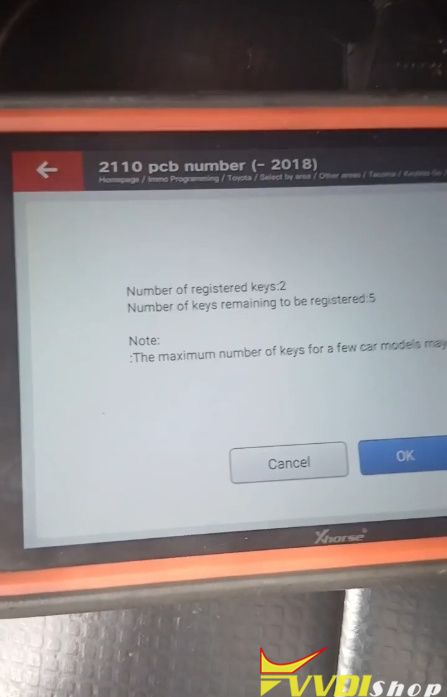
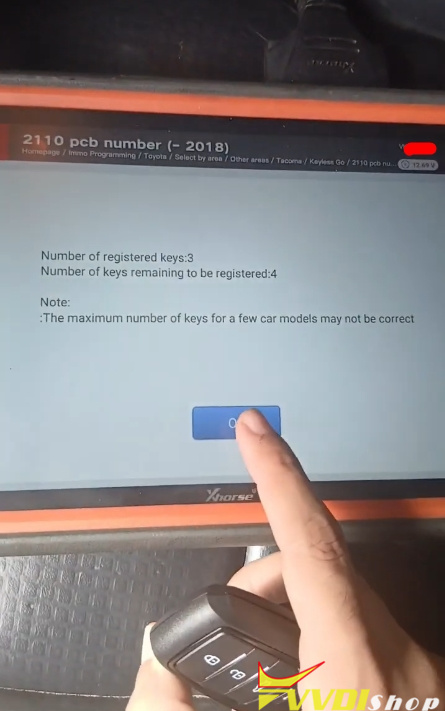
The tool will show the number of registered keys and keys to be added.

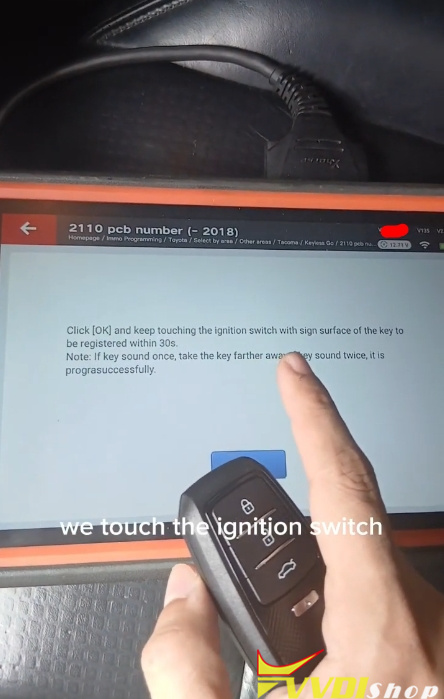
When prompted, touch the ignition switch with the original registered key.

A beep will confirm the key has been recognized.

Xhorse Key Tool Plus Adds Toyota Tacoma 2020 XM38 Key 10

Xhorse Key Tool Plus Adds Toyota Tacoma 2020 XM38 Key 11

5. Register the New Xhorse Key

Within 30 seconds, touch the ignition switch with the new Xhorse smart key.

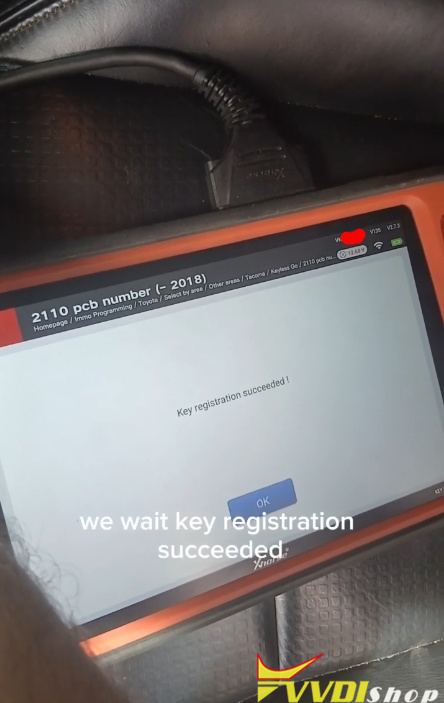
Hold it in place until the tool indicates “Key registration succeeded.”

The system will confirm when matching is complete.

Xhorse Key Tool Plus Adds Toyota Tacoma 2020 XM38 Key 12

Xhorse Key Tool Plus Adds Toyota Tacoma 2020 XM38 Key 13

Xhorse Key Tool Plus Adds Toyota Tacoma 2020 XM38 Key 14

Xhorse Key Tool Plus Adds Toyota Tacoma 2020 XM38 Key 16

Xhorse Key Tool Plus Adds Toyota Tacoma 2020 XM38 Key 17

6. Test Both Keys

Turn the ignition OFF and test the original key to ensure it still works.

Then test the newly programmed Xhorse XM38 smart key—it should start the vehicle.

For final verification, remove the original key from the cabin and confirm the new key operates independently.

Comments

Popular posts from this blog

How to Add Key 2019 VW POLO MQB49/5C by Xhorse VVDI Key Tool Plus

  Today 2019 VW POLO MQB49/5C add key success. Used   Xhorse vvdi key tool plus pad   for the whole process. Add key mqb platform (Johnson cluster and new MQB49/5C type on key tool plus are online. Read data with pad, then sent it for online calculation (cost  1 token  – must be charged before). You have to use a token to add a spare key from working key. After 3 minutes I got immo data file which automatically saved into the device. After that you make dealer key (used  Xhorse proxy MQB  style) and program to the car as usual. Test report from Mr.  Hrdina. 

Will VVDI Key Tool Plus Program VAG MQB49 Key

  How to program VAG MQB49 key with   xhorse vvdi key tool plus ? This is a frequently asked question. Here’s the clue. Only  Johnson Control instrument is supported by  xhorse . Xhorse key tool plus or vvdi2 will only add key to MQB49 (still need sync data), they cannot do MQB49 all keys lost. 1. Calculate immo data online Try to read immo data with key tool plus, if failed to read immo data (shown as error image below). You need to obtain sync data from 3rd party. 2 Check immo status Display the number of vehicle keys, whether current key is locked and whether is dealer key and other information   3. Generate dealer key Load immo data file to generate dealer key, support generate normal dealer key and OME key (online)   4. Leanr key Learn the new generated key and original key into the car together, keys that are not learned will not be able to start the car.   5. Modify MQB49 key ID

Read MQB48 RH850 RF701401 Dash by VVDI Key Tool Plus

  Another   Xhorse RH850 adapter   tutorial: how to read VAG MQB NEC35XX RH850 DF701401 dashboard with   xhorse vvdi key tool plus   and RH850 cable. Procedure: Select Immo Programming>>VW>>Select by Type>>MQB Immo System>>Dashboard-MQB48 (VDO/JCI-NEC35XX Locked)-> Read NEC35XX Chip>>Soldering>>R7F701401 Check wiring diagram Remove components and solder  rh850 cable  with cluster Connect rh850 cable with key tool plus Read and save immo data Select  Get Immo data Upload rh850 DF702401 data save above to calculate immo data Then save immo data Now you can generate dealer key or learn key with the immo data   www.vvdishop.com