VVDI Key Tool Plus Program BMW EWS4 Key with EWS4 Adapter

Programming a BMW EWS4 key is much faster with the Xhorse VVDI Key Tool Plus and EWS4 Solderless Adapter.This setup eliminates manual soldering, reduces the risk of damaging the EWS module, and makes EPROM reading more stable during all-keys-lost jobs.


Required Tools

Xhorse VVDI Key Tool Plus

Xhorse EWS4 Adapter

XDKP30 Multi Function Adapter

DB15 cable

External 12V power supply

Compatible key blank or Super Chip

VVDI Key Tool Plus Program BMW EWS4 Key with EWS4 Adapter 1

Programming Procedure

Step 1: Connect the Hardware

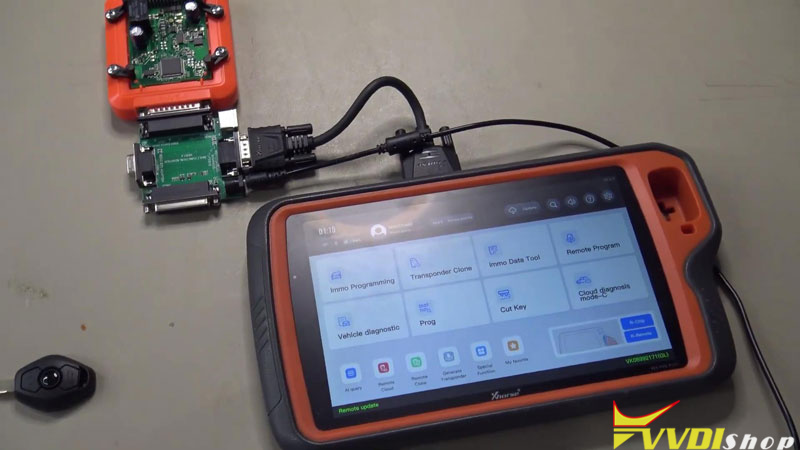
Connect the EWS4 Adapter to the VVDI Key Tool Plus using the DB15 cable and Multi Function Adapter, then plug it into the Mini Prog port.

Insert the EWS4 module into the adapter, then connect the external 12V power supply to power up the module.

VVDI Key Tool Plus Program BMW EWS4 Key with EWS4 Adapter 2


Step 2: Read EWS4 EPROM Data

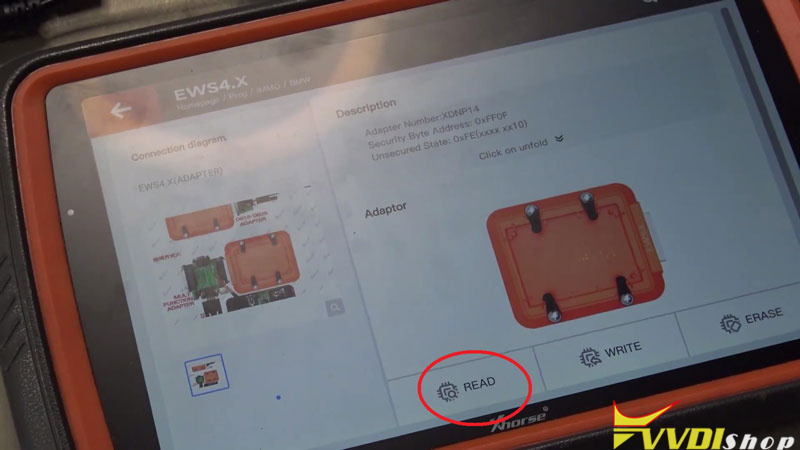
On the Key Tool Plus, enter:

Prog → IMMO → BMW → EWS4.X → Adapter.

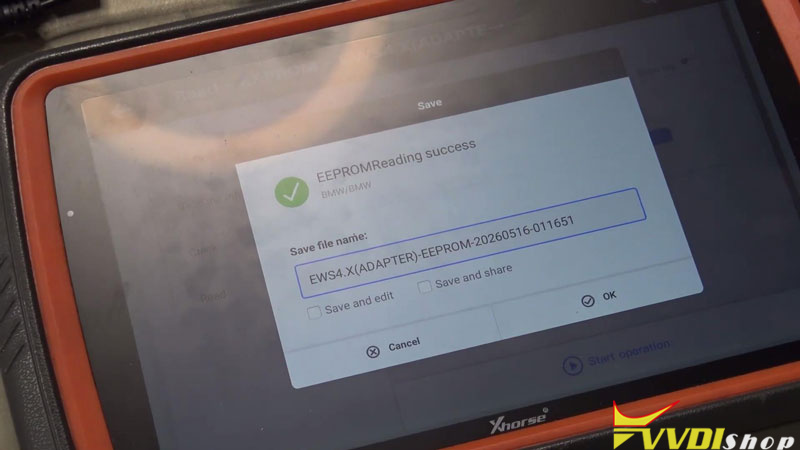
Then read the EPROM data and save the file locally.

VVDI Key Tool Plus Program BMW EWS4 Key with EWS4 Adapter 3

VVDI Key Tool Plus Program BMW EWS4 Key with EWS4 Adapter 4

Step 3: Generate the Dealer Key

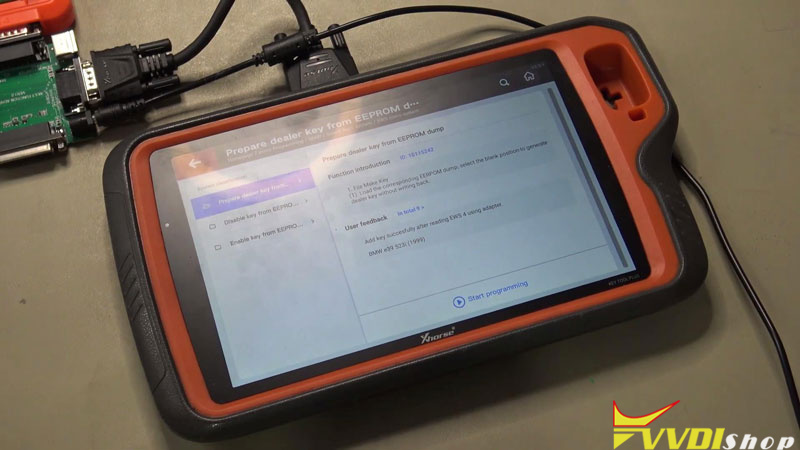
Go to:

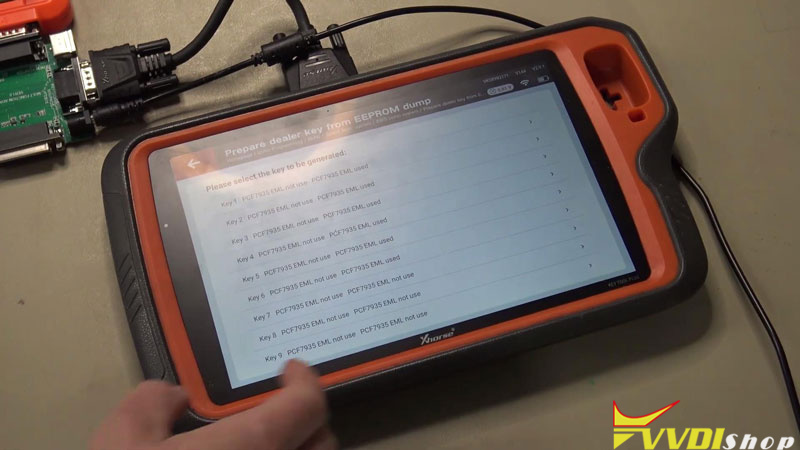
IMMO Programming → Europe → BMW → Select from system → EWS immo System → Prepare dealer key from EPROM dump → Start programming → EWS4

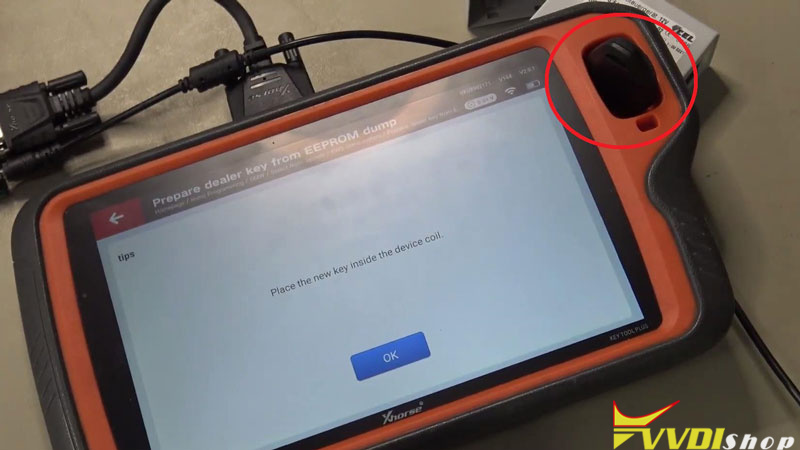
Load the saved EPROM file, select an unused key position, then place the key blank or Super Chip into the induction coil for programming.

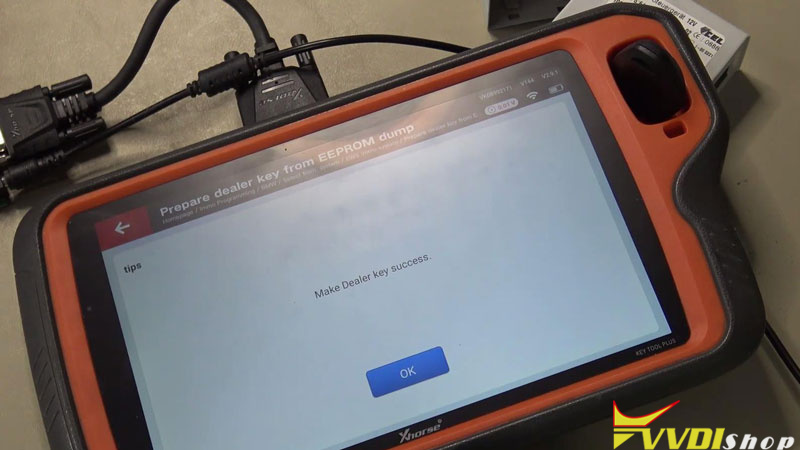
Once the write process is completed successfully, the key data is ready.

VVDI Key Tool Plus Program BMW EWS4 Key with EWS4 Adapter 5

VVDI Key Tool Plus Program BMW EWS4 Key with EWS4 Adapter 6

VVDI Key Tool Plus Program BMW EWS4 Key with EWS4 Adapter 7

VVDI Key Tool Plus Program BMW EWS4 Key with EWS4 Adapter 8

Step 4: Finish the Key

Cut the mechanical key blade and perform the standard BMW remote synchronization procedure.


Why Use the Xhorse EWS4 Adapter?

Traditional EWS4 programming usually requires manually soldering several wires to the PCB. The Xhorse solderless adapter avoids that entire process, making the job faster, cleaner, and safer for regular workshop use.


For locksmiths handling BMW all-keys-lost service, this setup is one of the most practical solutions currently available.

www.vvdishop.com

Comments

Popular posts from this blog

Will VVDI Key Tool Plus Program VAG MQB49 Key

  How to program VAG MQB49 key with   xhorse vvdi key tool plus ? This is a frequently asked question. Here’s the clue. Only  Johnson Control instrument is supported by  xhorse . Xhorse key tool plus or vvdi2 will only add key to MQB49 (still need sync data), they cannot do MQB49 all keys lost. 1. Calculate immo data online Try to read immo data with key tool plus, if failed to read immo data (shown as error image below). You need to obtain sync data from 3rd party. 2 Check immo status Display the number of vehicle keys, whether current key is locked and whether is dealer key and other information   3. Generate dealer key Load immo data file to generate dealer key, support generate normal dealer key and OME key (online)   4. Leanr key Learn the new generated key and original key into the car together, keys that are not learned will not be able to start the car.   5. Modify MQB49 key ID

How to Add Key 2019 VW POLO MQB49/5C by Xhorse VVDI Key Tool Plus

  Today 2019 VW POLO MQB49/5C add key success. Used   Xhorse vvdi key tool plus pad   for the whole process. Add key mqb platform (Johnson cluster and new MQB49/5C type on key tool plus are online. Read data with pad, then sent it for online calculation (cost  1 token  – must be charged before). You have to use a token to add a spare key from working key. After 3 minutes I got immo data file which automatically saved into the device. After that you make dealer key (used  Xhorse proxy MQB  style) and program to the car as usual. Test report from Mr.  Hrdina. 

Read MQB48 RH850 RF701401 Dash by VVDI Key Tool Plus

  Another   Xhorse RH850 adapter   tutorial: how to read VAG MQB NEC35XX RH850 DF701401 dashboard with   xhorse vvdi key tool plus   and RH850 cable. Procedure: Select Immo Programming>>VW>>Select by Type>>MQB Immo System>>Dashboard-MQB48 (VDO/JCI-NEC35XX Locked)-> Read NEC35XX Chip>>Soldering>>R7F701401 Check wiring diagram Remove components and solder  rh850 cable  with cluster Connect rh850 cable with key tool plus Read and save immo data Select  Get Immo data Upload rh850 DF702401 data save above to calculate immo data Then save immo data Now you can generate dealer key or learn key with the immo data   www.vvdishop.com