The car is a 2012 BMW 535i, F10 chassis, N55 engine, with a CAS4+ system. It arrives with a deceptively simple complaint: the key’s proximity function doesn’t work. Pressing the brake and the start button does nothing. To switch on the ignition, the key must be held against the induction coil. The customer bought the car this way, and a locksmith has already made a second key—which has the same problem. The remote buttons don’t work, and proximity doesn’t work.
Step 1: Test the Existing Keys
The first task is to determine the frequency of both keys—the original and the locksmith-made key.
Original key. On the Key Tool Plus, no frequency is detected at first. We note that CAS4 keys sometimes give up their frequency immediately when scanned, and tries holding the key to the coil.
The transponder reads as ID49—correct—but no frequency information comes through. Switching to KD Max to read frequency without pressing buttons: 315 MHz, which the technician expected for the vehicle.
Locksmith key. The second key’s transponder ends in 8124, and its frequency reads 433 MHz (later referred to as 464 in the discussion of the fob signal). That is the wrong frequency for this car.
A battery check follows. The original key’s fob has a battery and is sending a signal; the locksmith key’s fob has no battery and sends nothing. Swapping the battery into the locksmith key gets it transmitting at 464 MHz—but the vehicle still doesn’t respond. The technician’s working assumption at this point: either a coding problem, or the key needs to be programmed on the bench.


Step 2: Confirm the Vehicle’s Frequency
Using the Xhorse VVDI Key Tool Plus‘s “Fix remote/smart function” for the CAS4+, the technician pulls a critical piece of information: the vehicle frequency is 315 MHz. That confirms the original key had the right frequency, and the locksmith’s added key has the wrong one.
The tool also maps key positions: the locksmith key (3C928124, 464/433 MHz) sits at position three, while the original 315 MHz key sits at position six.


Step 3: Program a Correct Key
Select “Read ISN from working key”. With the ISN retrievable from a working key (avoiding the need to go under the intake to the DME), the technician proceeds to prepare a dealer key.

Steps, as performed:
Go to “Fix remote/smart function”.
Select correct remote frequency.
Fix remote successfully.


Generate Autel BMW ikey.
In VVDI Key Tool Plus CAS4 menu, select Prepare dealer key with ignition switch.
Choose an empty key position (position 8, deliberately far from the others).
Confirm an original car key is available (yes) — used to retrieve the ISN.
Place original key into induction coil.
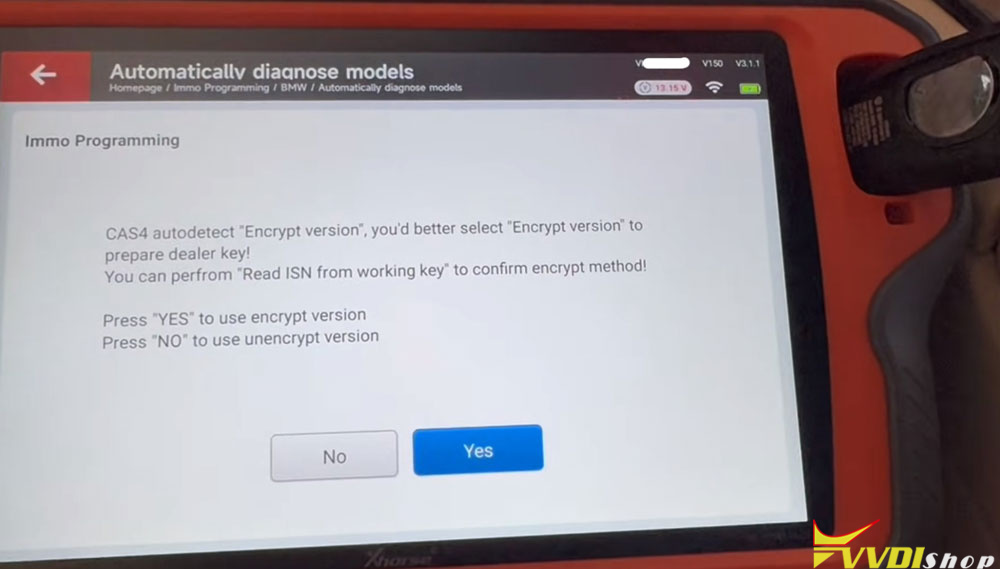
CAS4 auto-detect: select the encrypted version, as this is an encrypted CAS4+.
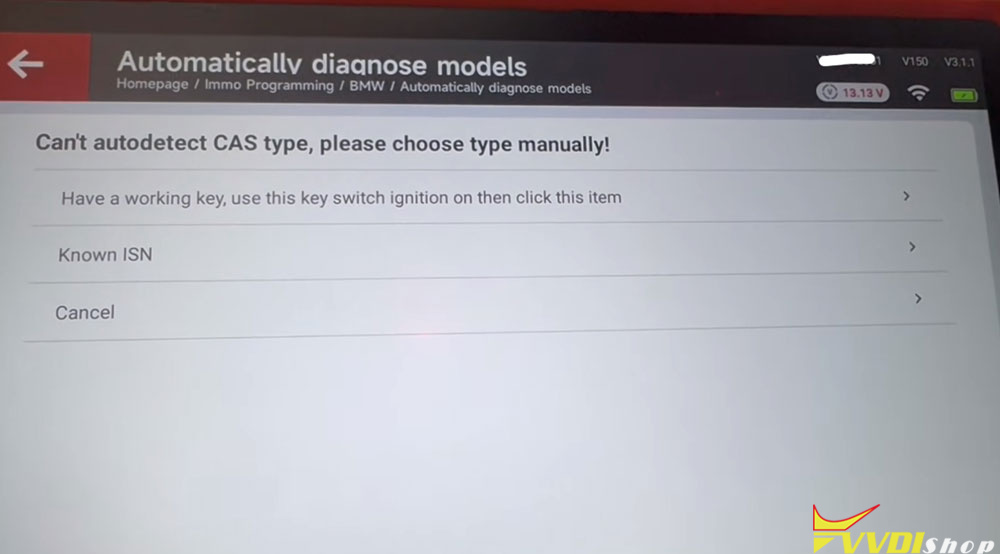
CAS auto-detect CAS type: choose option one, using the working key at the ignition coil to pull the ISN (rather than typing it manually).
Place the working key at the ignition switch; the tool reads the ISN.
Place the new key (the Autel Universal with the correct 315 MHz frequency and correct FCC ID) and complete learning.


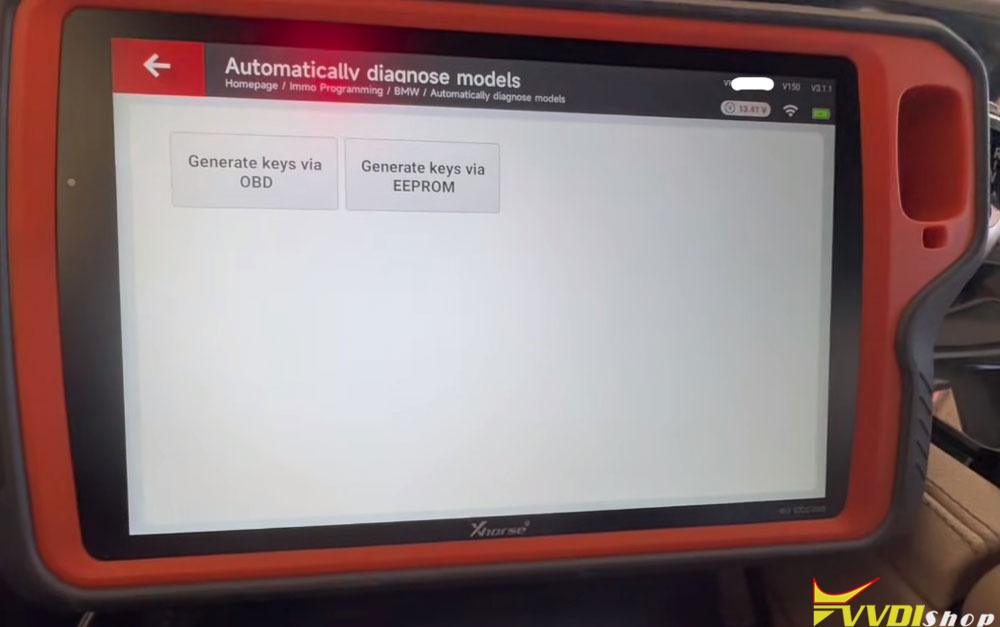
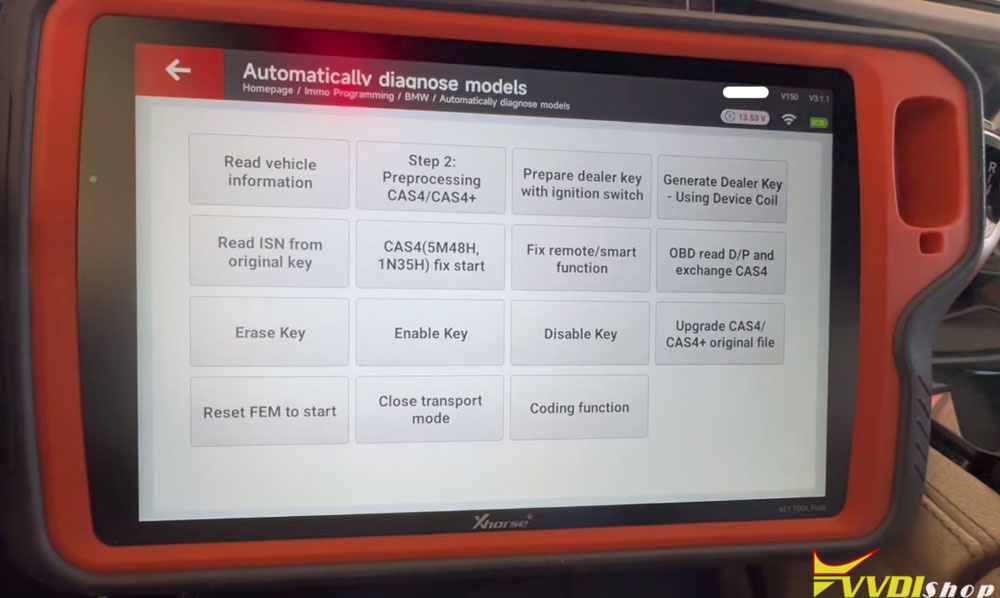
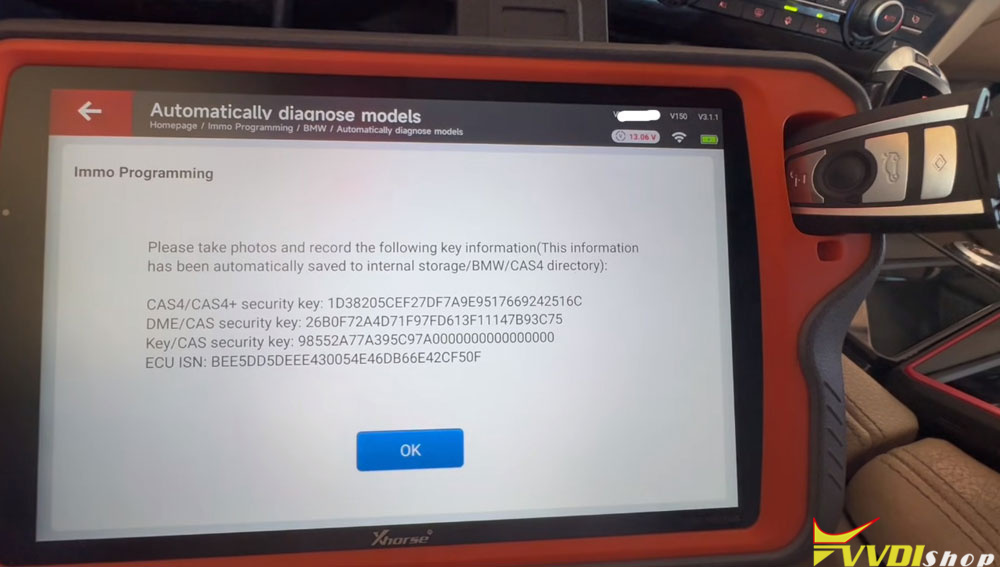
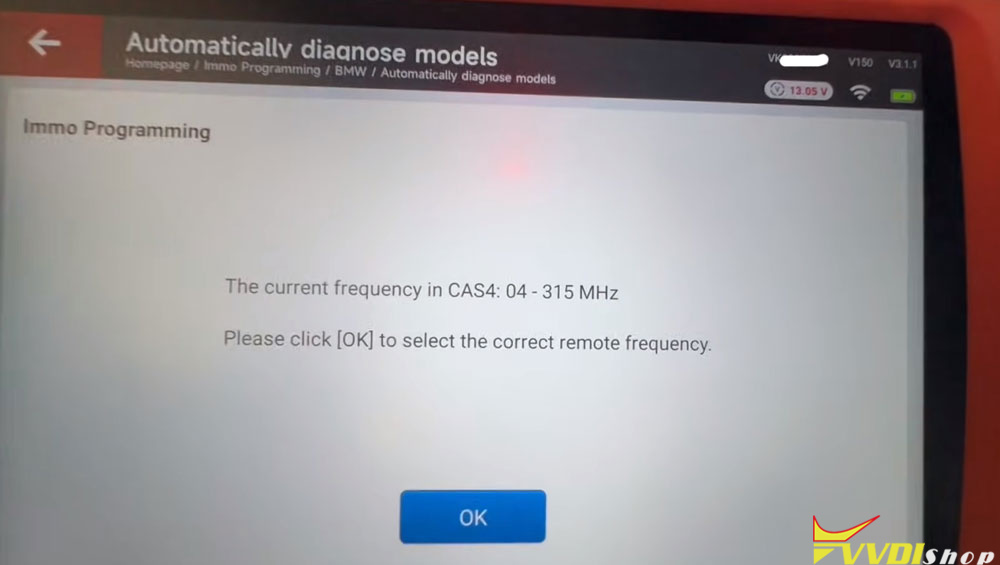


Learning reports successful. The moment of truth: the remote responds—but with a noticeable lag, and it takes several presses. Proximity is detected, but only intermittently. The technician restores the previously backed-up coding (a step described as essential on a BMW), but the behavior doesn’t fully resolve. The remote works but doesn’t respond automatically; it takes multiple presses.
Step 4: Chase the Simple Stuff
Rather than assuming corrupted data or a deeper CAS fault, the technician turns to the basics—specifically, key fob battery voltage. The thresholds cited:
3.3 V — maximum charge, a great frequency
3.2 V — good
3.1 V — get ready to replace
3.0 V — intermittent problems
The original key fob, which had been in stock for some time, measures 2.9 V. The new battery measures 3.3 V. With the fresh battery installed, the remote locks and unlocks on the first press, every time. The start function works every time, including with the key placed elsewhere in the vehicle (back seat), confirming the interior antennas are detecting it. A brief “remote control not detected” message appears once even with the new battery, but the overall behavior is consistent and the technician considers it fixed.
The Verdict: Three Keys, Three Different Problems
The final summary is precise:
- Original key: right frequency (315 MHz), wrong FCC ID.
- Locksmith key: wrong frequency (464 MHz) and wrong FCC ID.
- Newly programmed key: right frequency and right FCC ID, but working intermittently due to a low battery (2.9 V).
The technician explicitly notes the temptation to conclude that someone read data and corrupted it—and the decision to check the simple explanation first. The key was programmed via OBD on the CAS4+ (encrypted, 5M/48H) using the Key Tool Plus. The case closes with the vehicle starting every time and the remote responding on the first press.
Takeaways
- Confirm the vehicle’s frequency before blaming the key. The CAS4+ reports 315 MHz; a 464 MHz fob will never work regardless of programming.
- Frequency is not enough—FCC ID matters. Two fobs can look identical and be for the same CAS4 family but carry the wrong FCC ID for the vehicle.
- A key that transmits is not necessarily a key with a good battery. Voltage thresholds (3.3/3.2/3.1/3.0 V) predict intermittent behavior directly.
- Back up coding before programming on a BMW, and restore it if behavior is abnormal.
- Check the simple things before chasing corrupted data. In this case, the “intermittent proximity” was a battery, not a corrupted CAS.
Comments
Post a Comment