VVDI Key Tool Plus Read Honda Activa Motorcycle Password

This guide will walk you through the process of reading the Honda Activa push-start smart key PIN code in an “All Keys Lost” scenario using the Xhorse VVDI Key Tool Plus or Key Tool Midi.


Step-by-Step Guide to Reading the PIN Code
1. Navigating the Device Menu

Start by turning on your Xhorse device and navigating through the menu:

Go to Immo Programming

Select Motorcycle

Choose Honda

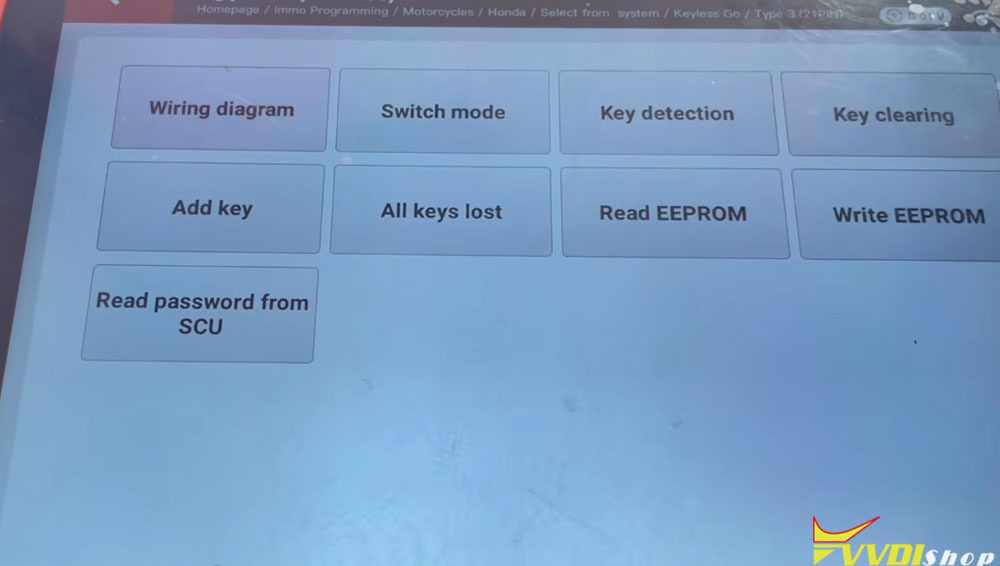
Select Select from System

VVDI Key Tool Plus Read Honda Activa Motorcycle Password 1

VVDI Key Tool Plus Read Honda Activa Motorcycle Password 2

2. Selecting the Module

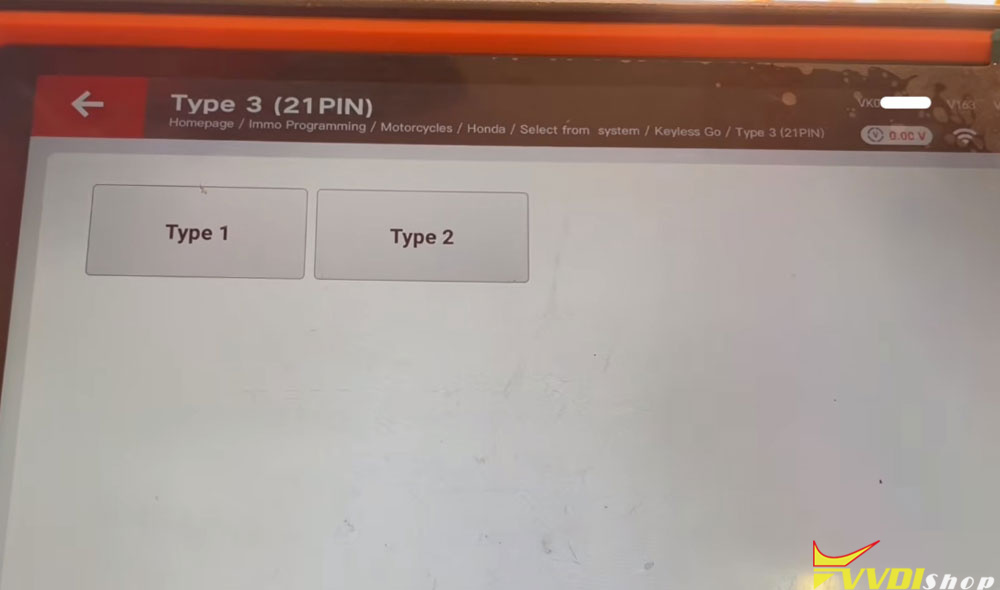
The Honda Activa i-Smart module uses a 21-pin connector. Select the 21 PIN option from the menu, then select Start Programming.

Next, select Read EEPROM and then choose Type 2.

VVDI Key Tool Plus Read Honda Activa Motorcycle Password 3

VVDI Key Tool Plus Read Honda Activa Motorcycle Password 4

3. Preparing the Module for Reading

Once you select Type 2, the device will display a wiring diagram. You will need to use the MCU cable.

Looking at the diagram on your screen, you must identify the soldering points. The cables involved are the Red wire, VCC wire, Orange wire, Black ground wire, and Yellow reset wire. Solder these wires to the exact points indicated on the module board.

Important Warning: The module must be carefully cut out of its casing. You must proceed with extreme caution during this step, as the board contains very small resistors and components. Any damage to these components will cause the procedure to fail.

VVDI Key Tool Plus Read Honda Activa Motorcycle Password 5

VVDI Key Tool Plus Read Honda Activa Motorcycle Password 6

VVDI Key Tool Plus Read Honda Activa Motorcycle Password 7

VVDI Key Tool Plus Read Honda Activa Motorcycle Password 8

4. Reading the Data

Once the wiring is soldered and the module is connected, press Continue to begin reading the data. The machine may take some time to read the module, so patience is required.

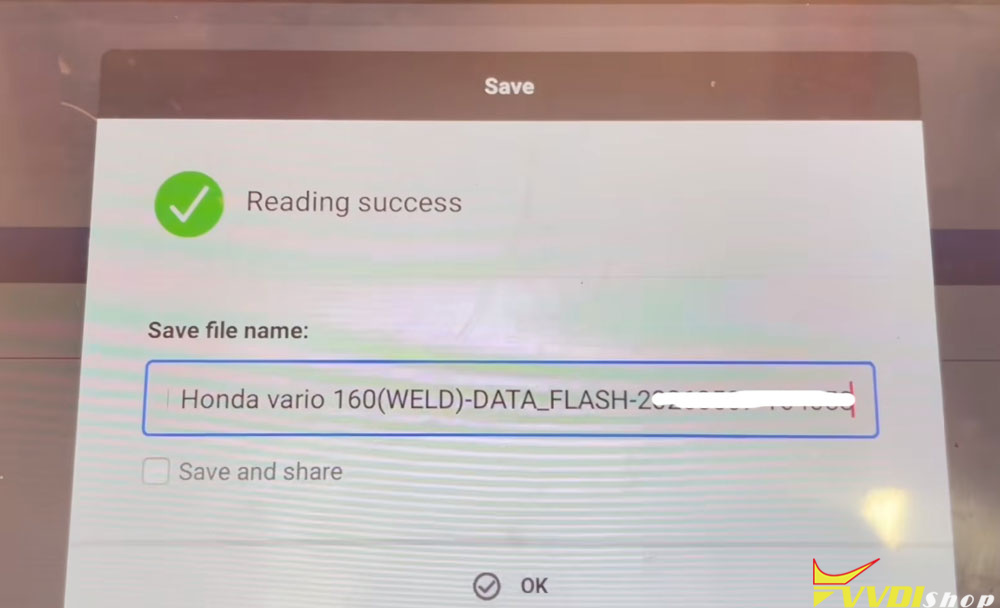
When the process is complete, you will see a “Reading Success” message. The device will prompt you to save the file. Press OK and then go Back.

VVDI Key Tool Plus Read Honda Activa Motorcycle Password 9

5. Extracting the PIN Code

Now you need to extract the PIN code from the saved file:

Select Read Password.

Choose Type 2 (since you read the data using this type).

Press Yes.

Open the saved file you just created.

The device will now display the PIN code. It is highly recommended to take a photo of the screen and save the PIN code for your records.

VVDI Key Tool Plus Read Honda Activa Motorcycle Password 10

VVDI Key Tool Plus Read Honda Activa Motorcycle Password 11

As a reminder, you must cut the module carefully and solder the wires exactly according to the provided diagram. This functionality is currently available exclusively on the Xhorse Key Tool Plus and Key Tool Midi.

Comments

Popular posts from this blog

Will VVDI Key Tool Plus Program VAG MQB49 Key

  How to program VAG MQB49 key with   xhorse vvdi key tool plus ? This is a frequently asked question. Here’s the clue. Only  Johnson Control instrument is supported by  xhorse . Xhorse key tool plus or vvdi2 will only add key to MQB49 (still need sync data), they cannot do MQB49 all keys lost. 1. Calculate immo data online Try to read immo data with key tool plus, if failed to read immo data (shown as error image below). You need to obtain sync data from 3rd party. 2 Check immo status Display the number of vehicle keys, whether current key is locked and whether is dealer key and other information   3. Generate dealer key Load immo data file to generate dealer key, support generate normal dealer key and OME key (online)   4. Leanr key Learn the new generated key and original key into the car together, keys that are not learned will not be able to start the car.   5. Modify MQB49 key ID

How to Add Key 2019 VW POLO MQB49/5C by Xhorse VVDI Key Tool Plus

  Today 2019 VW POLO MQB49/5C add key success. Used   Xhorse vvdi key tool plus pad   for the whole process. Add key mqb platform (Johnson cluster and new MQB49/5C type on key tool plus are online. Read data with pad, then sent it for online calculation (cost  1 token  – must be charged before). You have to use a token to add a spare key from working key. After 3 minutes I got immo data file which automatically saved into the device. After that you make dealer key (used  Xhorse proxy MQB  style) and program to the car as usual. Test report from Mr.  Hrdina. 

Read MQB48 RH850 D70F3426 Dash by VVDI Key Tool Plus

  Xhorse tutorial: how to read VAG MQB48 NEC35XX locked RH850 D70F3426 processor dashboard with   Xhorse vvdi key tool plus   and RH850 cable.   Xhorse XDNPRBGL MQB-RH850/V850 Adapter  is designed to read VW MQB48 dashboard data without cutting/ lifting any pins. Support List: MQB-RH850 (R7F) MQB 34XX IMMO4 JCI 34XX Here take an example of RH850 D70F3426.   D70F3426 cluster is more complex than the regular RH850 cluster. You will need key tool plus, RH850 adapter and eeprom adapter   Procedure: 1.Read dashboard data The function requires network connection. Go to Immo Programming>>VW>>Select by Type>>MQB Immo System>>Dashboard-MQB48 (VDO/JCI-NEC35XX Locked) Then select Read Immo data>>Read NEC35XX Chip>>Soldering>>R7F703426 Check wiring diagram Follow wiring diagram to remove 4 capacitors solder RH850 adapter with cluster, then connect RH850 cable with key tool plus Read and save IMMO D...